The only user of Koshel is me. To change that, I decided to post about Koshel on Threads and reply in relevant threads to find users.
This experiment has two main goals:
- Try to schedule interviews with the first users to understand my target audience better.
- Right now, the only value Koshel gives users is understanding their current financial state. To check that this value is real, I need to measure activation and retention rates.
- Measurement
- Activation rate: % of users who add 2+ assets with data
- What I will learn
- How easy it is for users to add their money and understand their current financial state.
- Measurement
- Retention rate: % of activated users who come back 8–14 days later to check their net worth
- What I will learn
- If people come back, tracking their financial state is already useful to them.
| Measurement | What I will learn |
|---|---|
| Activation rate: % of users who add 2+ assets with data | How easy it is for users to add their money and understand their current financial state. |
| Retention rate: % of activated users who come back 8–14 days later to check their net worth | If people come back, tracking their financial state is already useful to them. |
Preparing the experiment
1. Empty states for new users
I first built Koshel for myself, so it never needed empty states. But a new user saw zeros, an empty graph and no clear next step. So I added empty states in different places of the app.
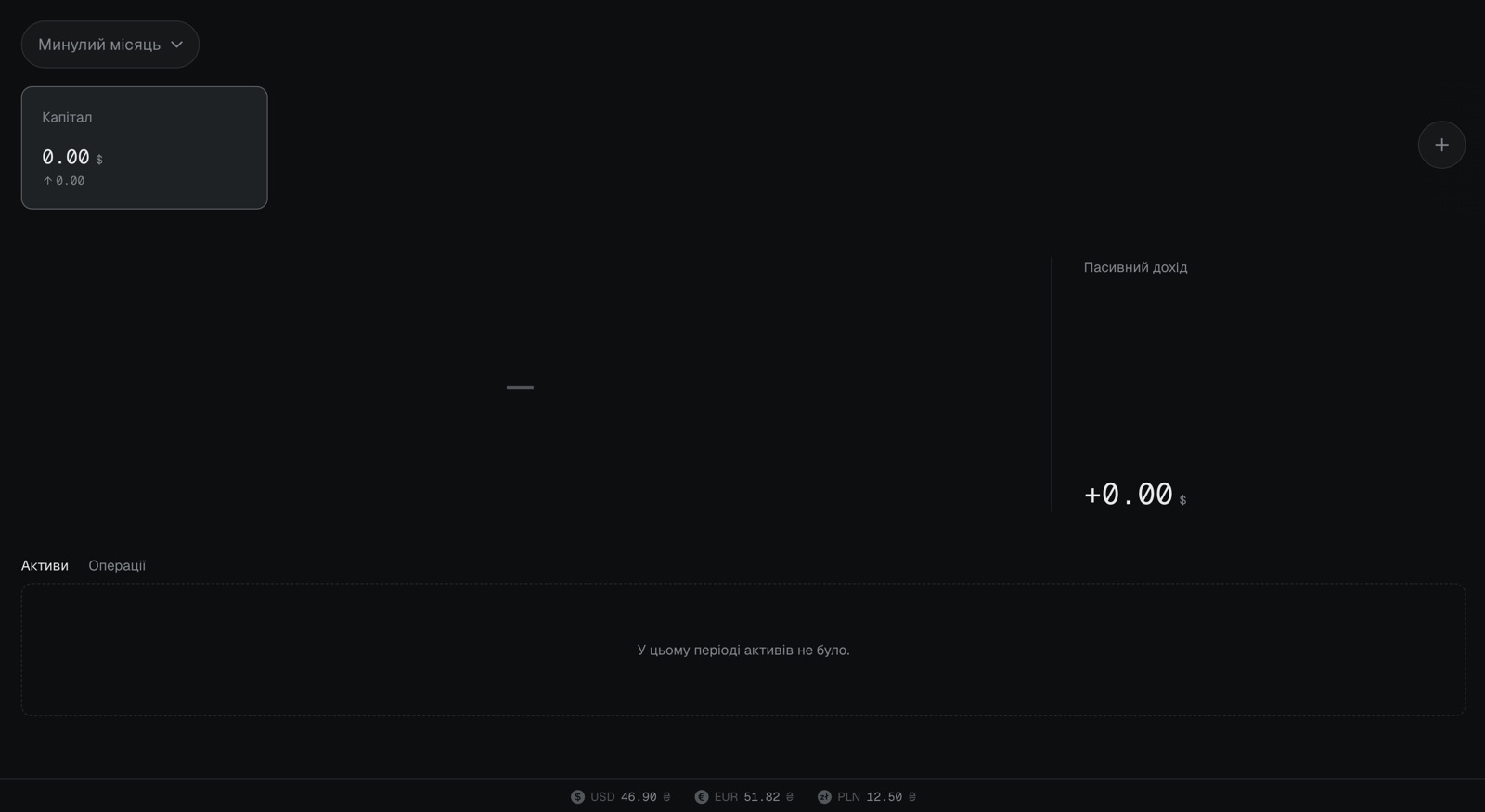 Before
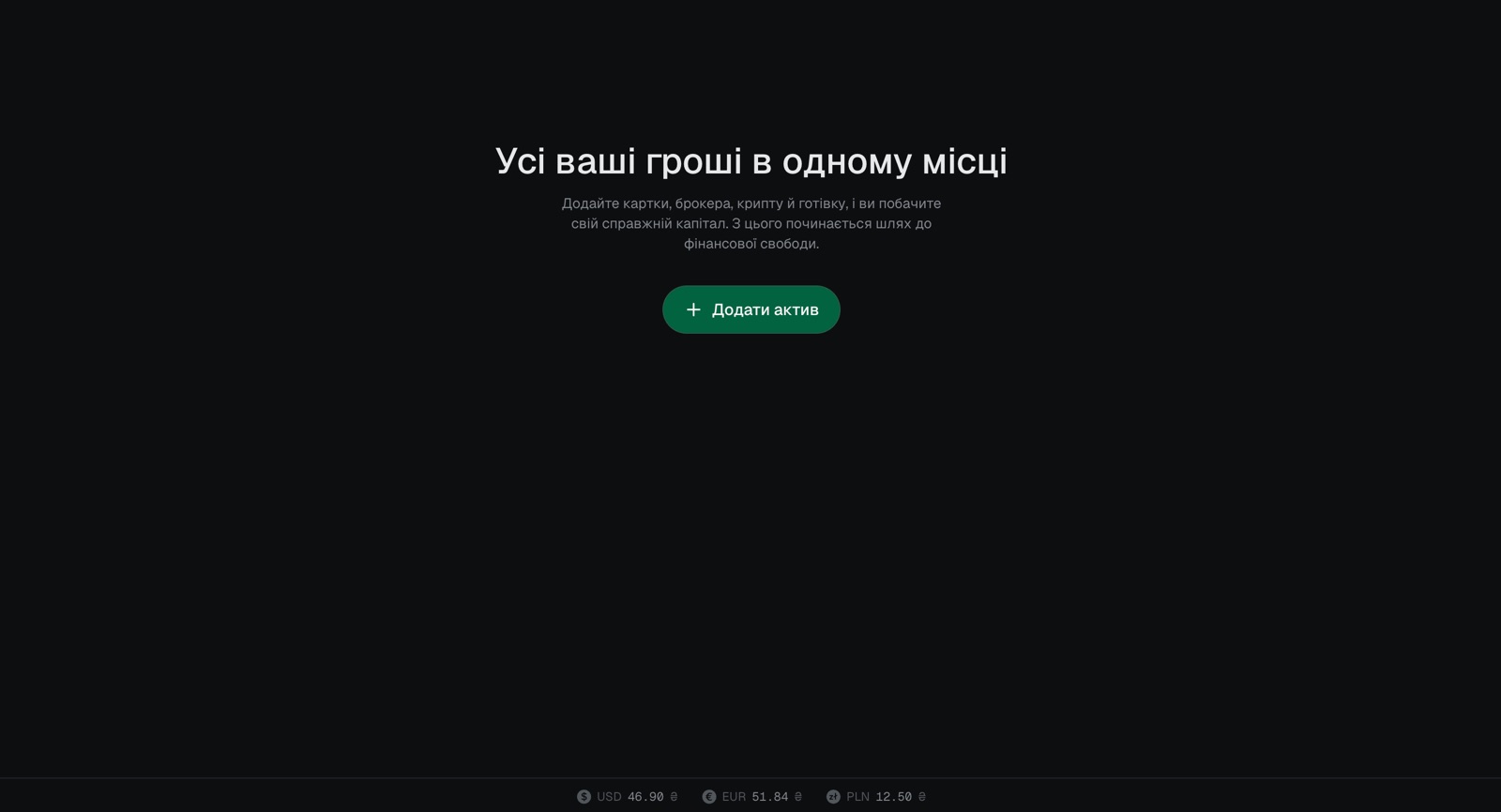 After
2. Creating a Threads profile
It wasn’t obvious how to create a Threads profile, but I figured it out. Then I prepared a bio, a link and a username.
What I learned: preparing a social media profile shows your project from another angle. You start thinking about your product’s emotion and personality.
I decided Koshel should be fun and talk as itself. Its voice works like this:
- Koshel speaks in the first person, as a friend, never as a company.
- Informal and simple: short sentences and everyday words, no finance jargon.
- Emotion first, information second. A post starts with a feeling or a dream, not a feature list.
- Features are the “how”, never the headline.
- A bit of humour and an emoji or two 🪄, but no childish greetings.
This voice also fits the features I plan to build, which I think are fun too.
Other finance trackers feel boring and serious to me. That makes sense for money, but I need to stand out.
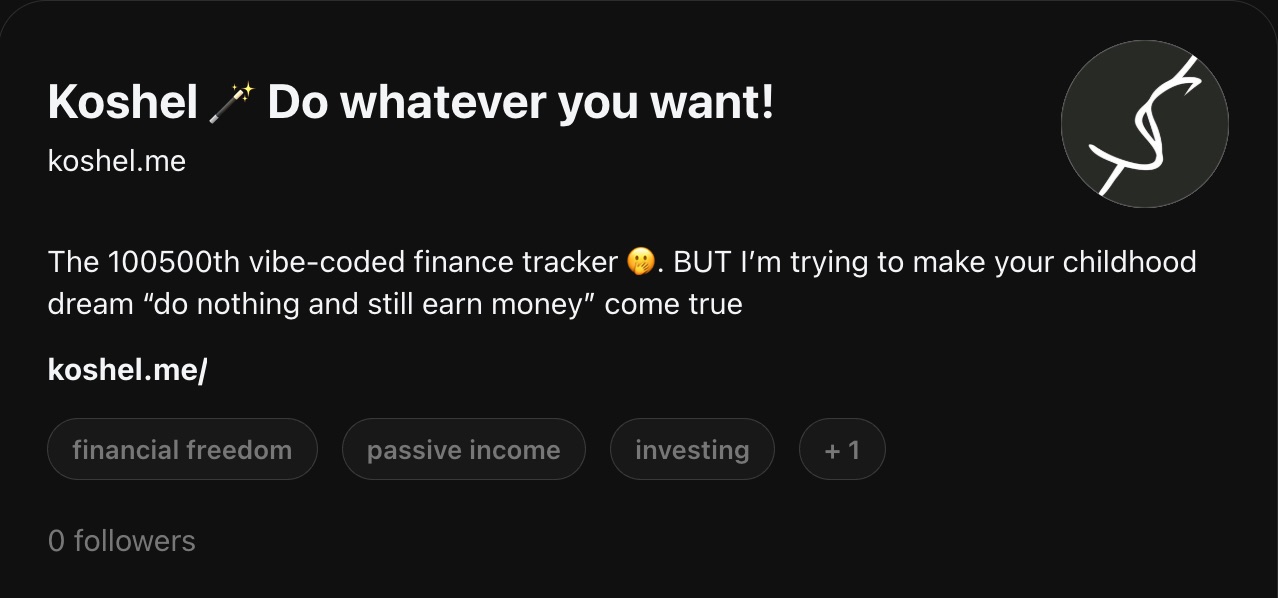
The Threads screenshots are translated from Ukrainian.
3. Writing two Threads posts
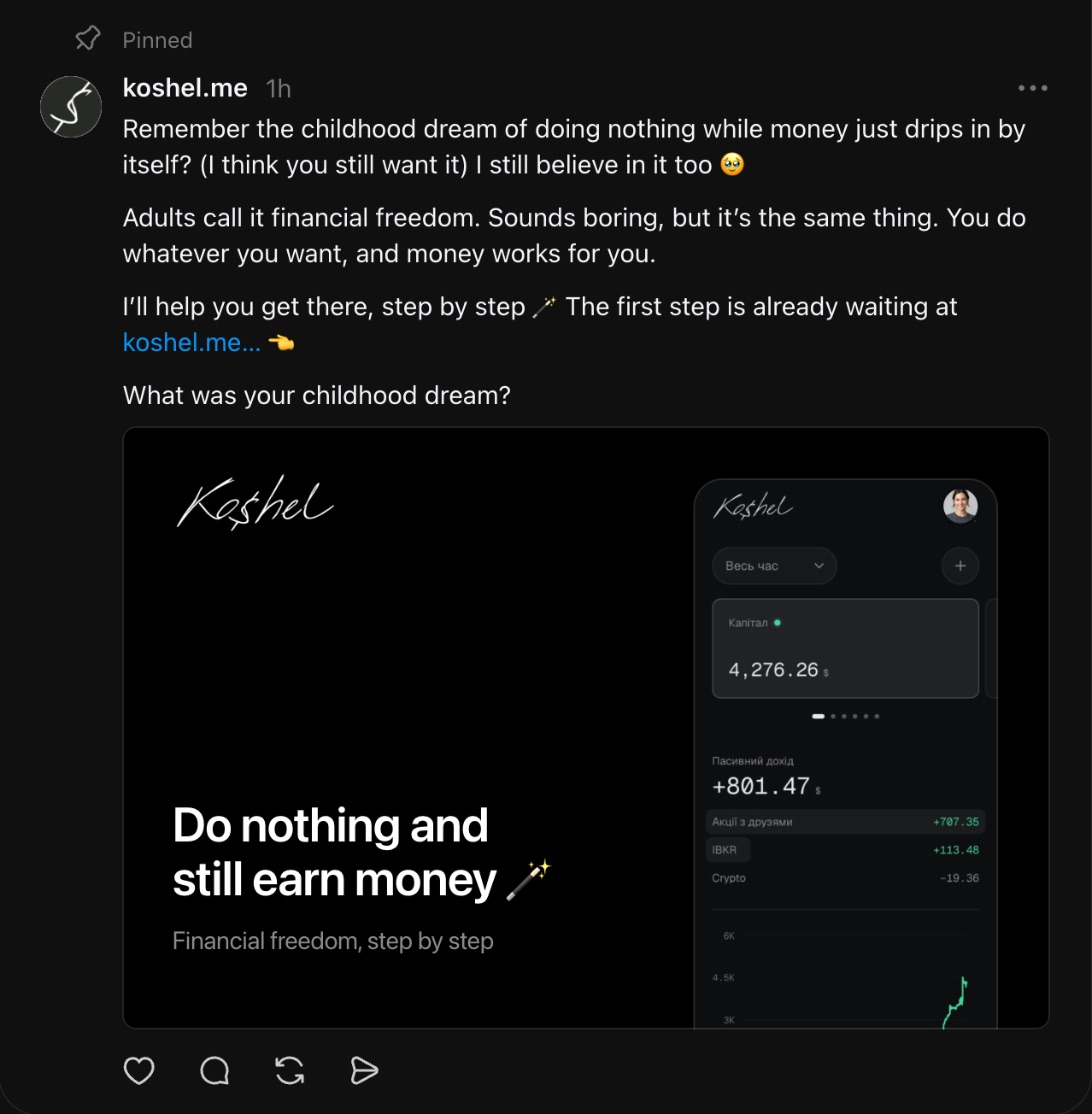
Intro post
The intro post describes Koshel’s vision. It sets the context, so people understand the ultimate goal: Koshel isn’t just a finance tracker, it helps people become financially independent and live a happy life.
Features post
To show what Koshel can do today, I made a short post with images of its features. It looks like an app page in the App Store.
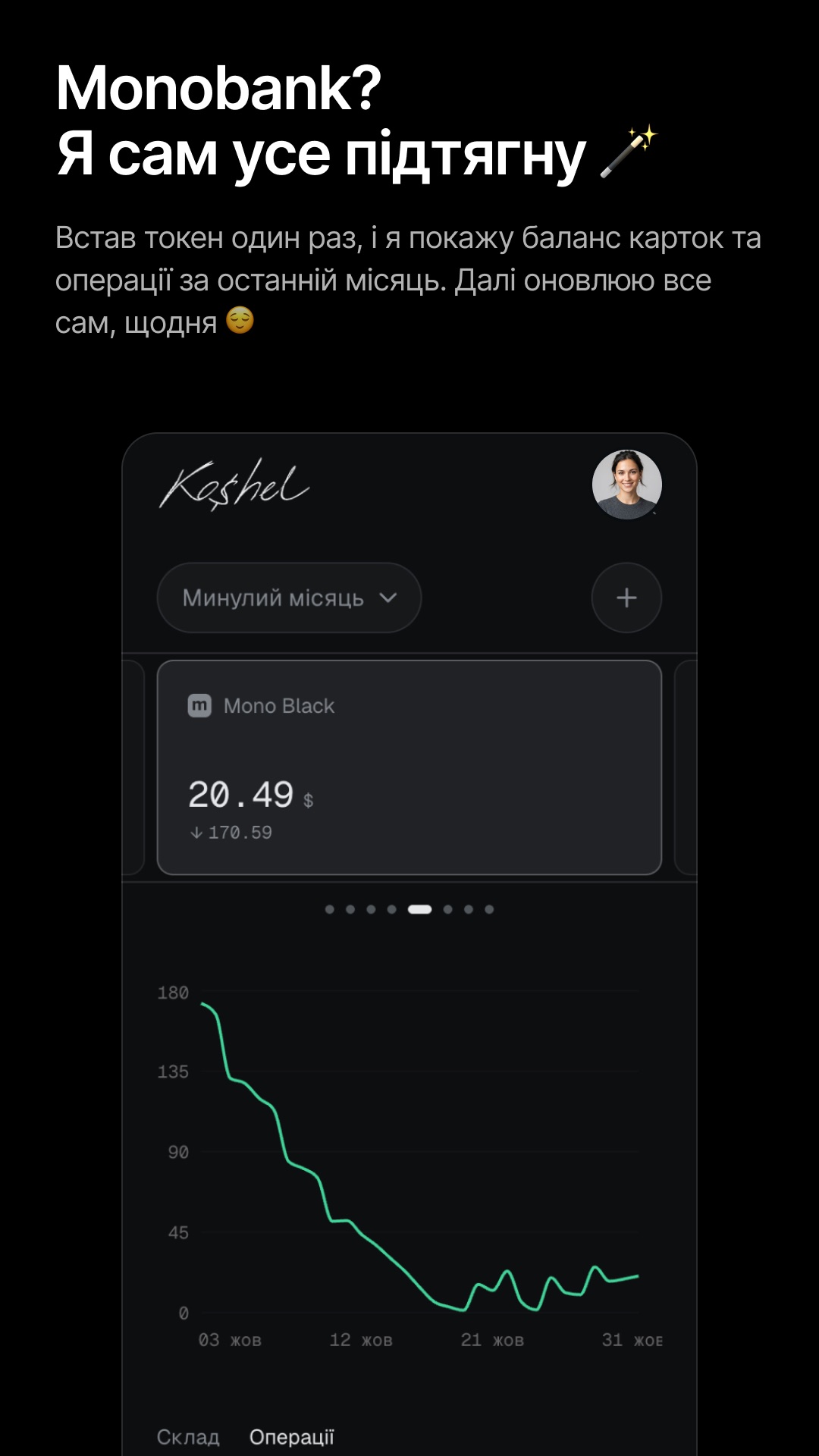
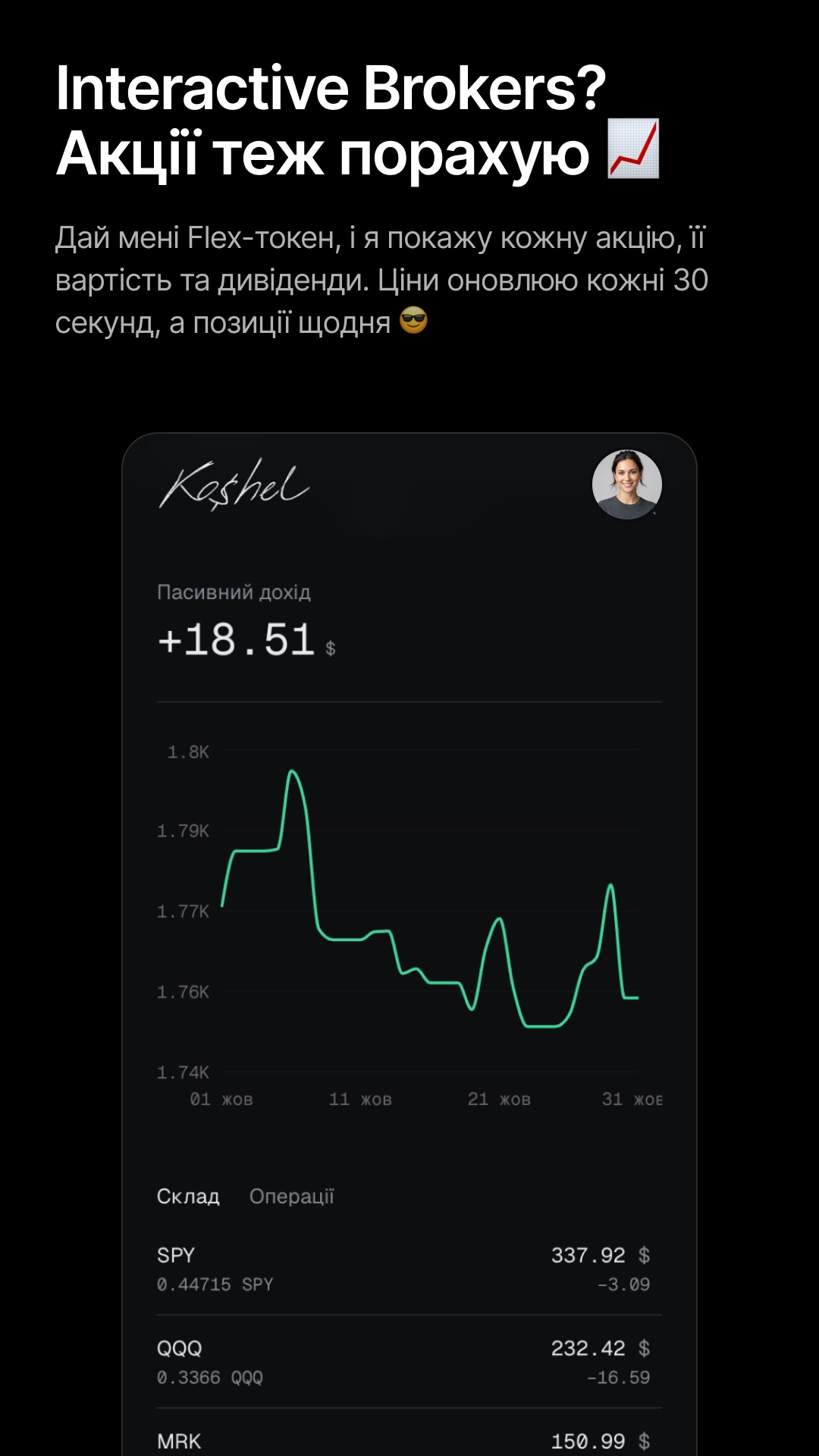
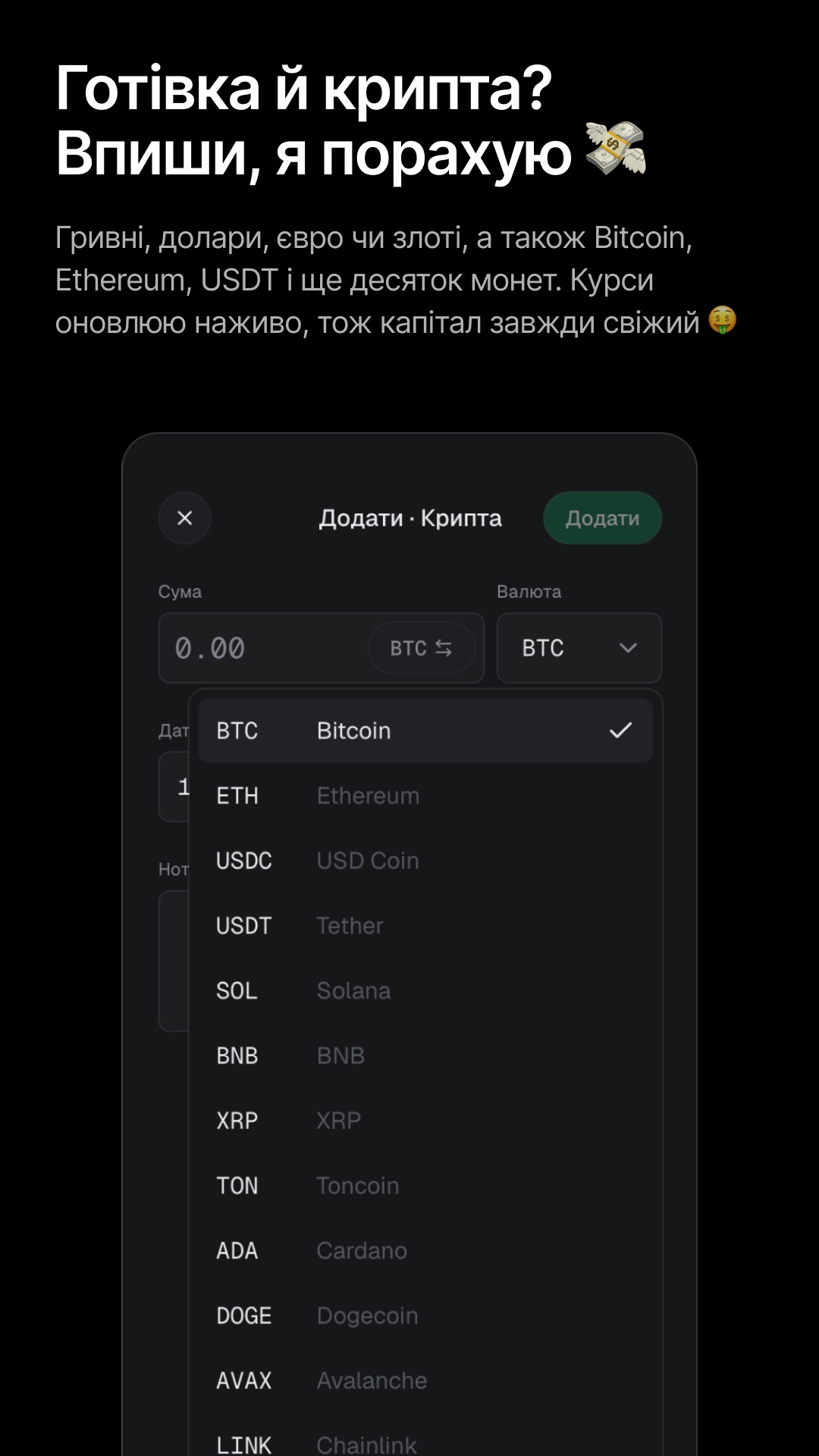
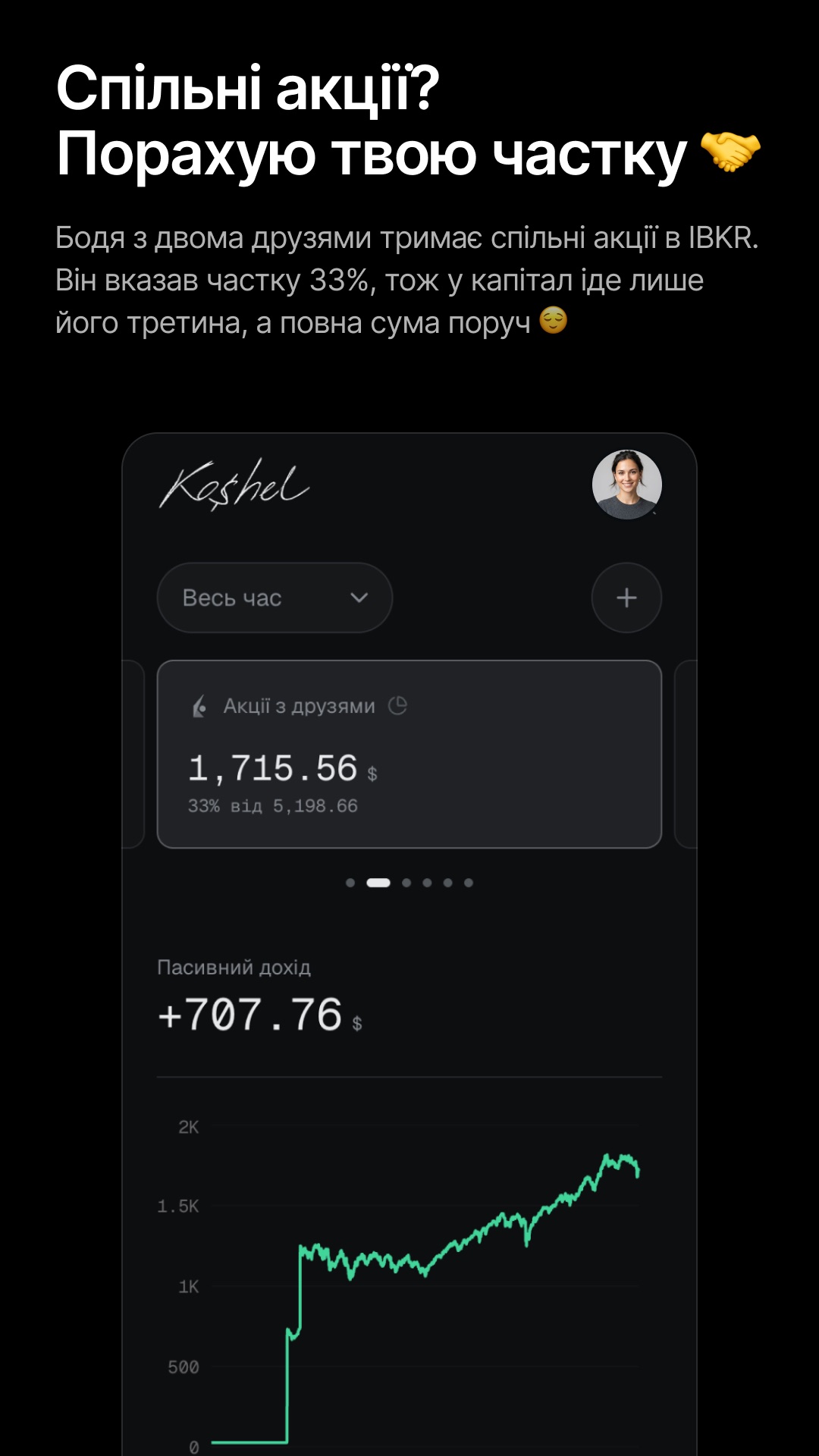
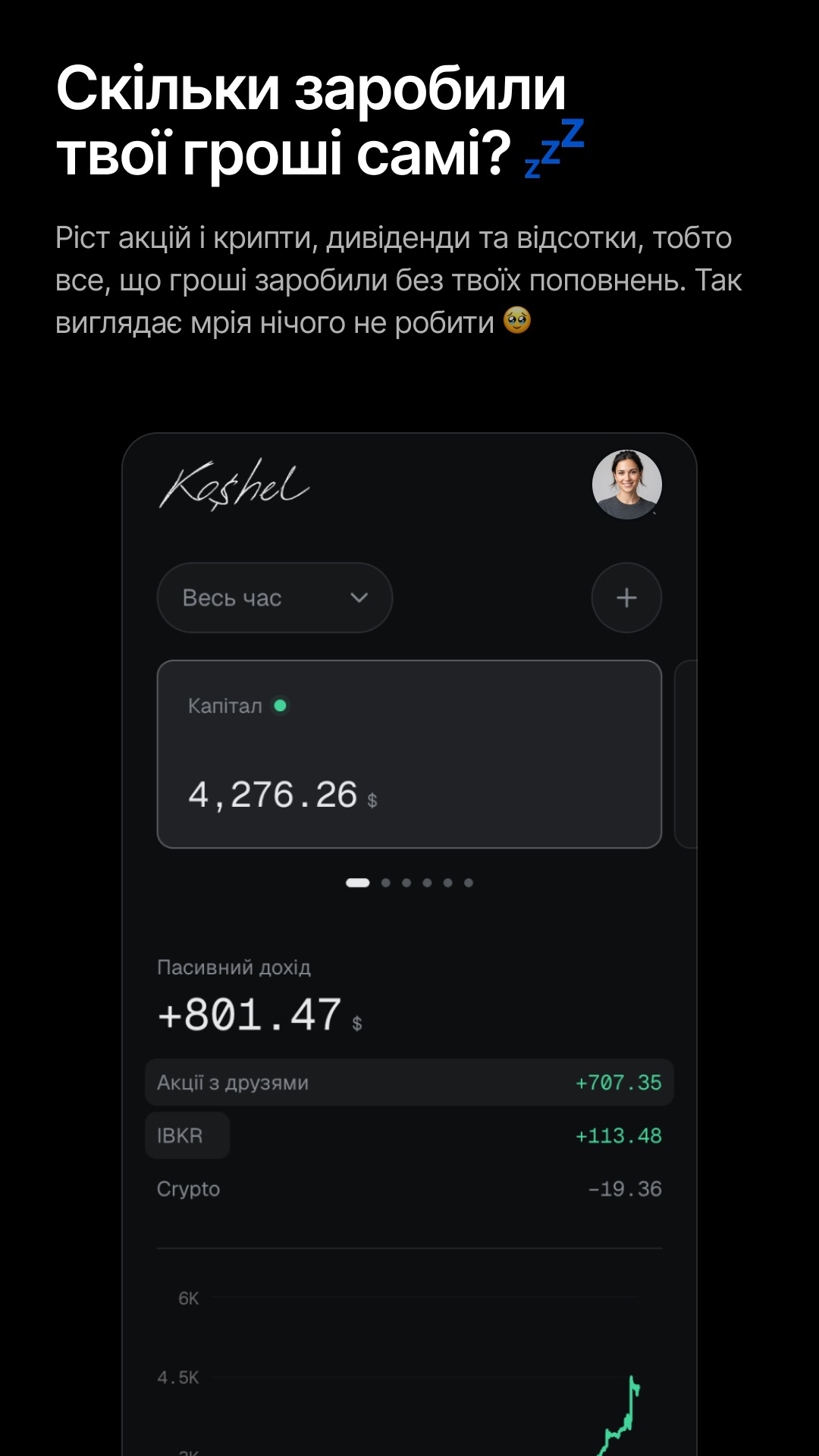
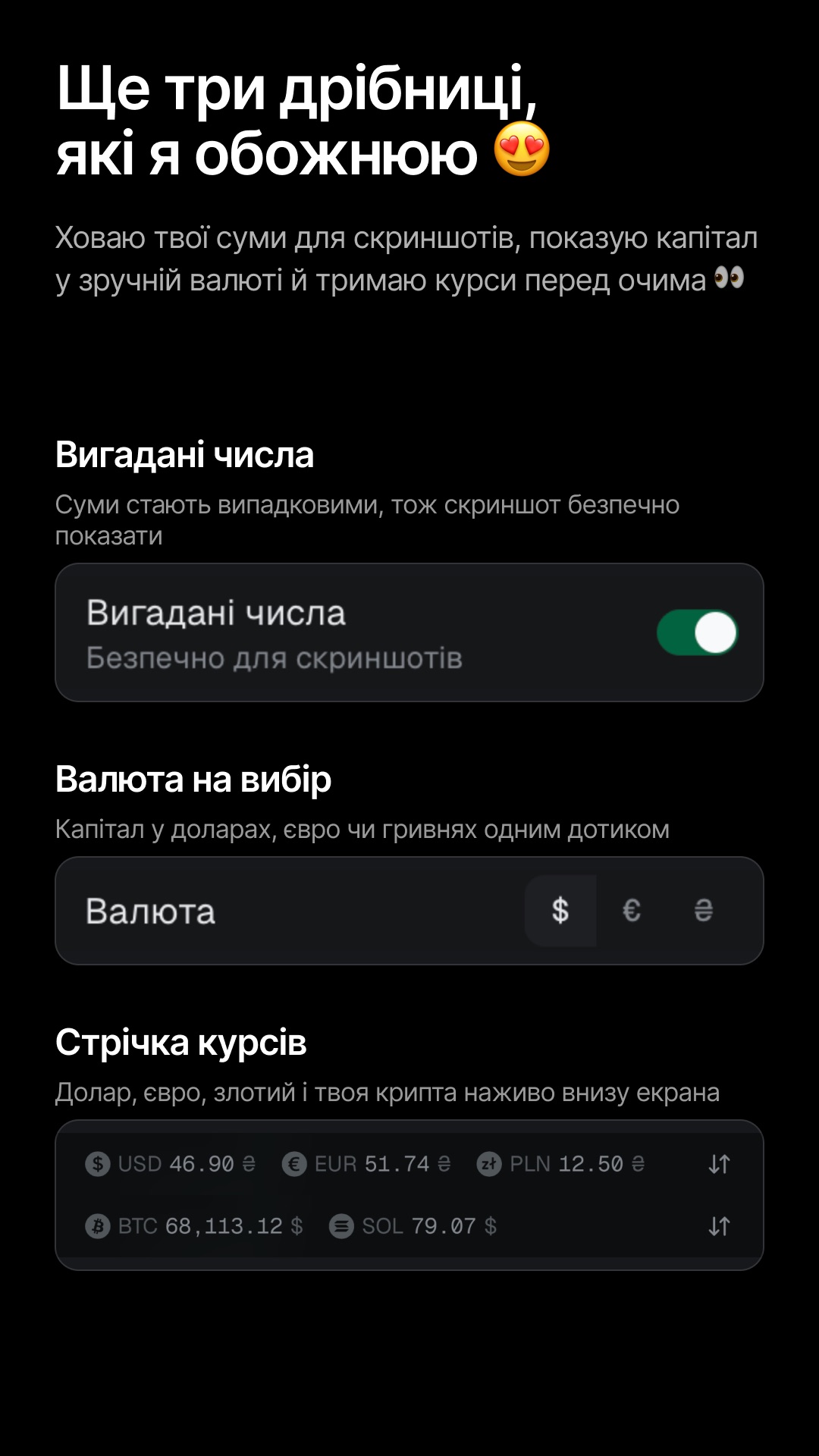
By the way, Claude made these images in Figma. I only set up the frame: the title is the outcome, the subtitle describes the feature, and below it is a screenshot of the app. Claude took the screenshots and placed them in Figma itself.
4. Setting up PostHog
Claude helped me set up a dashboard in PostHog to track activation and retention rates. It’s still empty because there are no users yet.
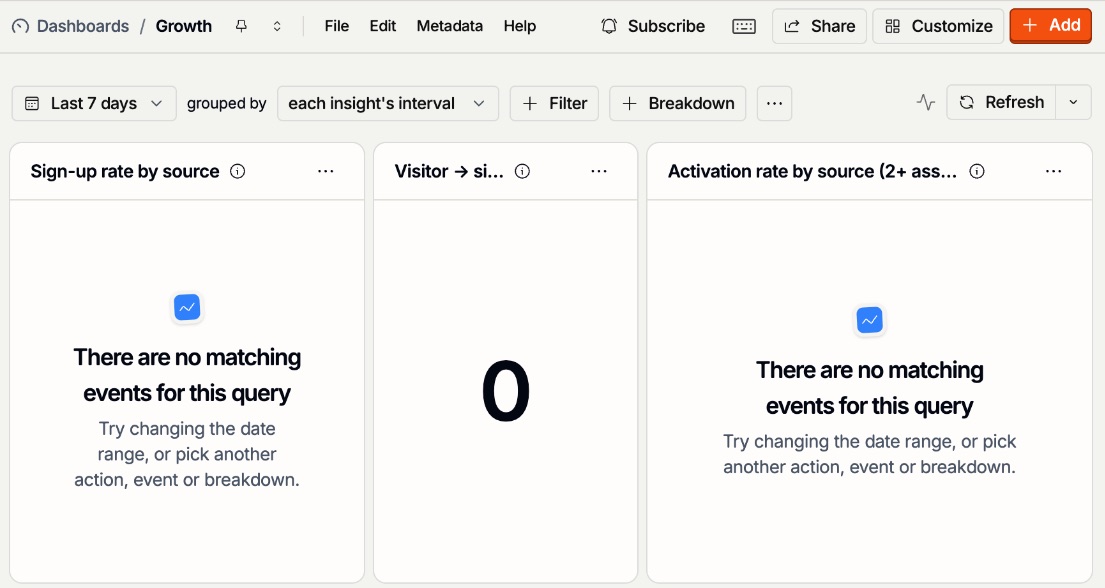
How cool is it that AI can connect your app to analytics and build a dashboard there through your browser!
What’s next?
- So far, I’ve posted only the intro post.
- Tomorrow, I’ll publish the features post.
- I’ll use AI to find relevant threads and reply to them.
- I’ll post every new update on Koshel’s Threads.
- I’ll track the data in PostHog.
- I’ll try to schedule interviews with users who sign up (if they do 🤞).